Run OpenClaw AI Agent via BlueStacks AI Without Turning it into a Weekend Project. One Click and You're Ready!
Most OpenClaw projects ask you to deal with technical steps, confusing instructions, API keys, and too many choices before you even get started. And even after all that, there are still two big worries: Is it safe? How much is this going to cost me?
BlueStacks AI was built to solve those problems. It gives you a simple way to run OpenClaw on your own PC or Mac with one-click setup, strong safety protections, and clear daily spending limits. This means you can try a powerful personal AI without spending hours.
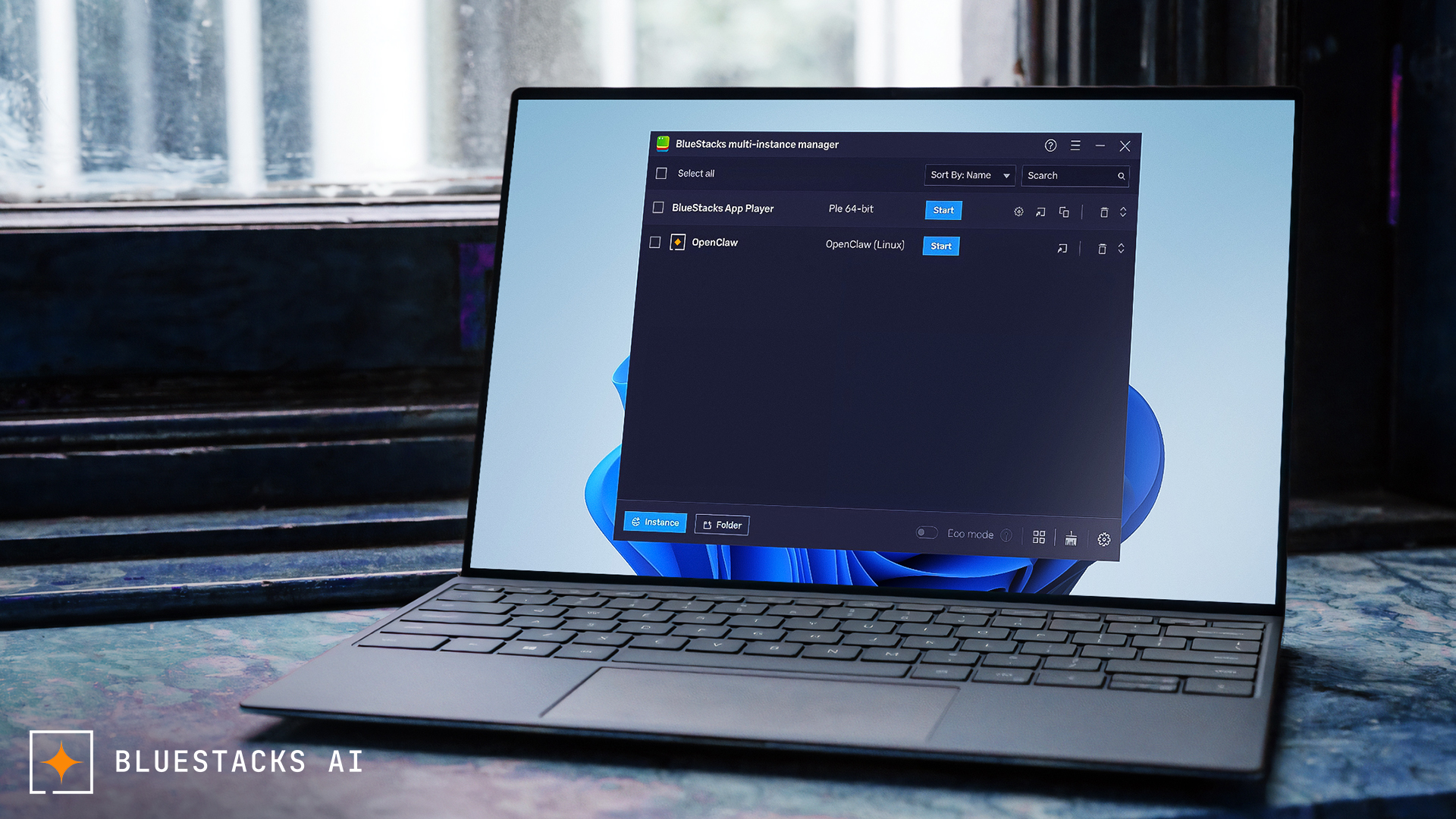
What usually makes AI agents hard to use
For most people, the problem is not the idea of an AI agent. The problem is everything around it.
You may need to:
- Pick a model provider
- Set up accounts and API keys
- Follow technical steps
- Fix errors if something breaks
- Figure out what the agent can access on your computer
- Keep an eye on usage so costs do not get out of control
That is a lot for someone who simply wants to try a personal AI. BlueStacks AI makes that whole experience much easier.
One-click setup. Under a minute.
The first big benefit is simple: it is easy to get started.
With BlueStacks AI, you do not need to use the command line. You do not need to go through a long setup process. You do not need to read pages of documentation just to make OpenClaw work. You download it, install it, and get started.
From download to a working agent takes under a minute. Here is a step-by-step guide to get you started.
That is a big difference from the usual setup, where people often spend hours just trying to get things running.
Your files, browser, and private data stay protected
This is one of the most important reasons BlueStacks AI exists.
OpenClaw runs inside a separate, isolated environment. You can think of it like a room inside your computer that is kept apart from your personal system. Learn more about how BlueStacks AI keeps your system safe.
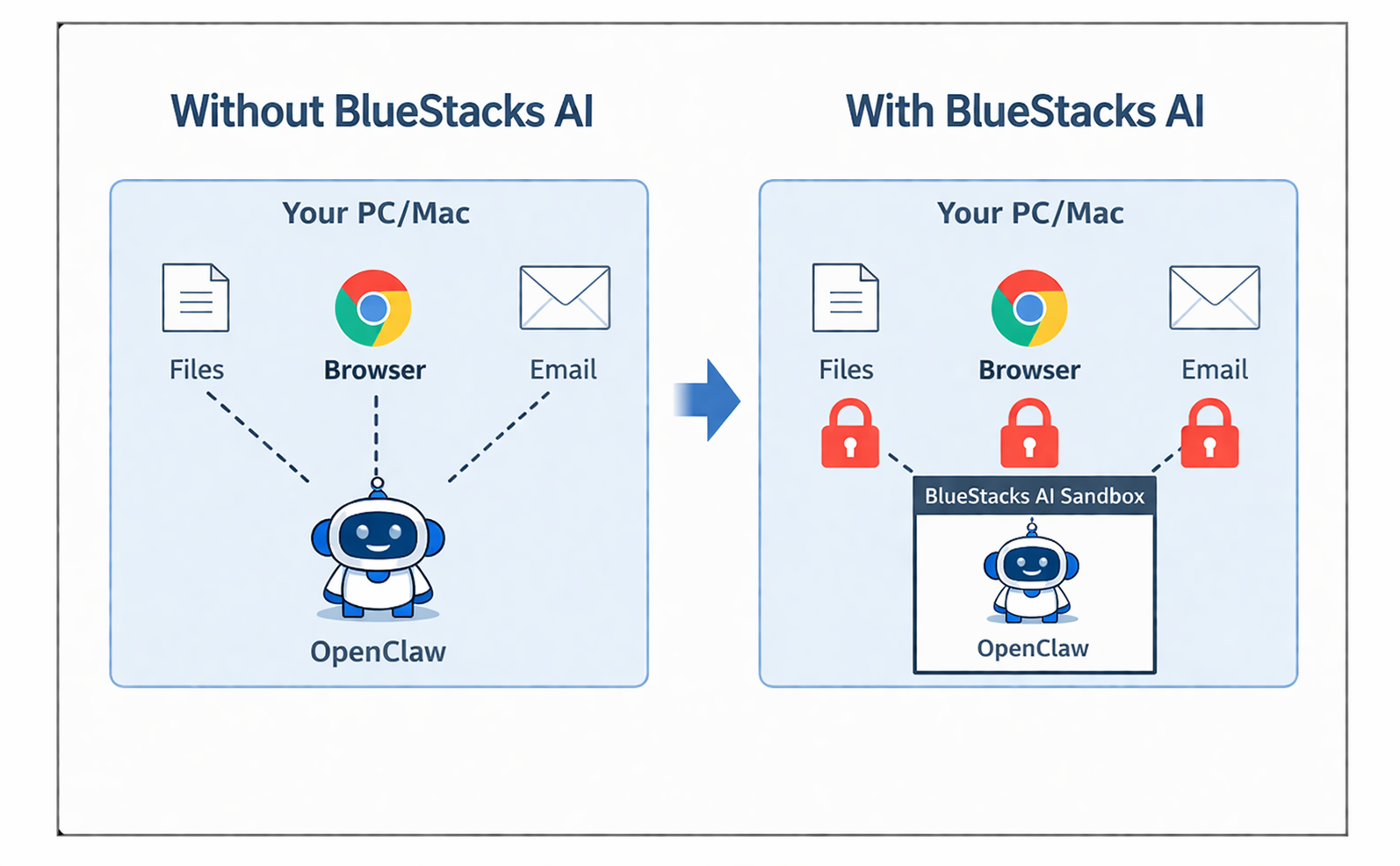
So by default, the agent does not get access to:
- Your personal files
- Your browser history
- Your saved passwords
- Your private accounts
- Your important data
If you do not allow access, it stays out.
That means you can run a powerful AI on your own machine without giving it full access to your digital life.
Better control over costs
One of the quiet worries with AI tools is cost. You start using them, everything seems fine, and then later you realize usage added up more than you expected.
BlueStacks AI helps prevent that with built-in daily spending limits. You choose your daily cap before you start. The agent stays within that limit. If it reaches the limit, it stops.
That gives you much more peace of mind, especially when you are still learning or experimenting.
Daily spending limits
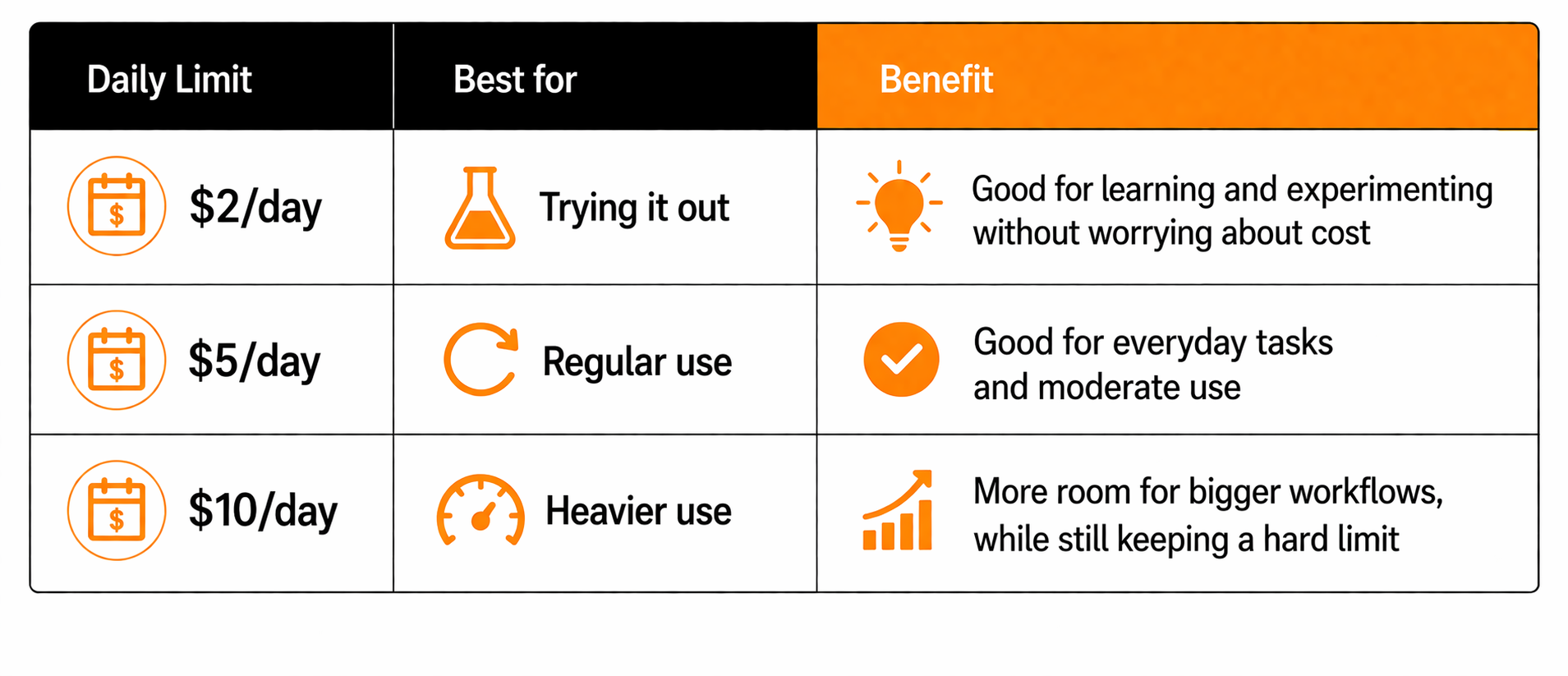
This keeps the experience far more predictable.
Smarter model use, without extra hassle
BlueStacks AI is not only about putting a cap on spending. It also helps make better use of models behind the scenes. Simple tasks can go to lighter, lower-cost models. More demanding tasks can use stronger models when needed. That helps balance quality and cost without making the user manage every little detail.
There is also flexibility in how you use it.
You can start with BlueStacks Prime (5000 API credits free), or you can bring your own API key if you already have one. So the experience can stay easy, while still giving more advanced users some choice.
Your AI can stay with you on your phone
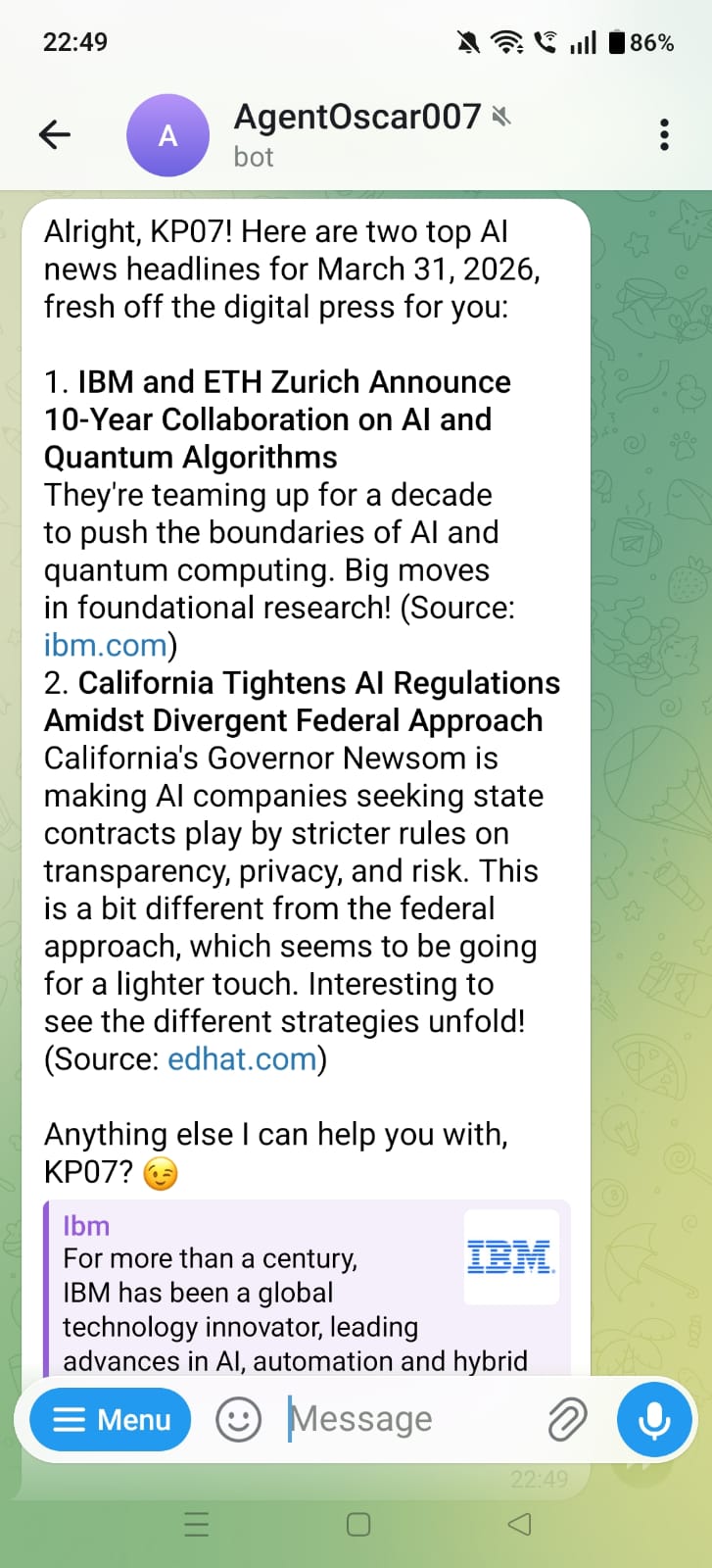
A personal AI is much more useful if it is not stuck on your desktop.
BlueStacks AI lets you connect OpenClaw to Telegram in minutes. Once connected, you can reach your agent from your phone whenever you need it.
That means your AI can help you even when you are away from your PC or Mac.
This makes it feel less like a tool you installed once and more like something you can actually use in daily life.
The old way vs the BlueStacks AI way
Here is the difference in simple terms:
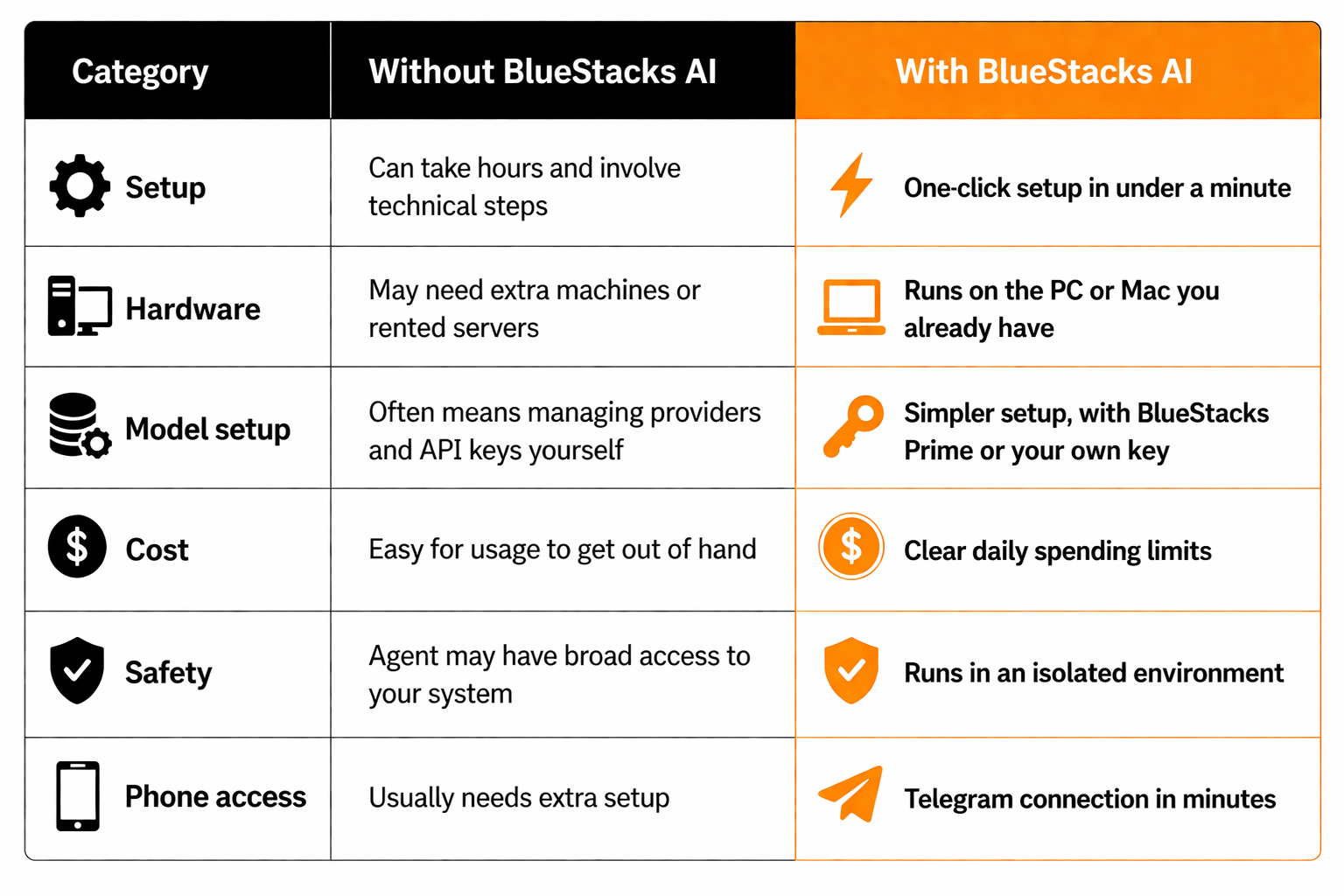
Not just easier to install. Easier to use.
A lot of tools focus only on installation.
But getting something installed is only part of the story. BlueStacks AI is built to reduce the confusion that usually comes with personal AI. Instead of making users figure everything out on their own, it gives them a much clearer and easier way to get started.
So the experience feels less intimidating from the beginning.
Who BlueStacks AI is for
BlueStacks AI is for people who want to try OpenClaw without dealing with the usual mess. That includes:
- People curious about personal AI
- Users who want a simple setup
- People who care about privacy and safety
- Professionals who want an AI assistant on their own machine
- Builders who want to experiment without spending too much
- Users who want more control over what the AI can access and how much it can cost
You do not need to be highly technical to get started using it.
BlueStacks AI is not just about running OpenClaw. It is about making OpenClaw feel practical for everyone.